Draw.io Skill for Claude Code: Diagrams from Text
Create editable draw.io diagrams directly from Claude Code. Describe your diagram, get PDF, PNG or SVG with embedded XML for later editing.

draw.io is a free, open-source diagramming tool by JGraph.

draw.io's Generate tool lets you create diagrams from natural language descriptions.

Real-world example: an AWS architecture diagram generated using the draw.io skill with Claude Code.
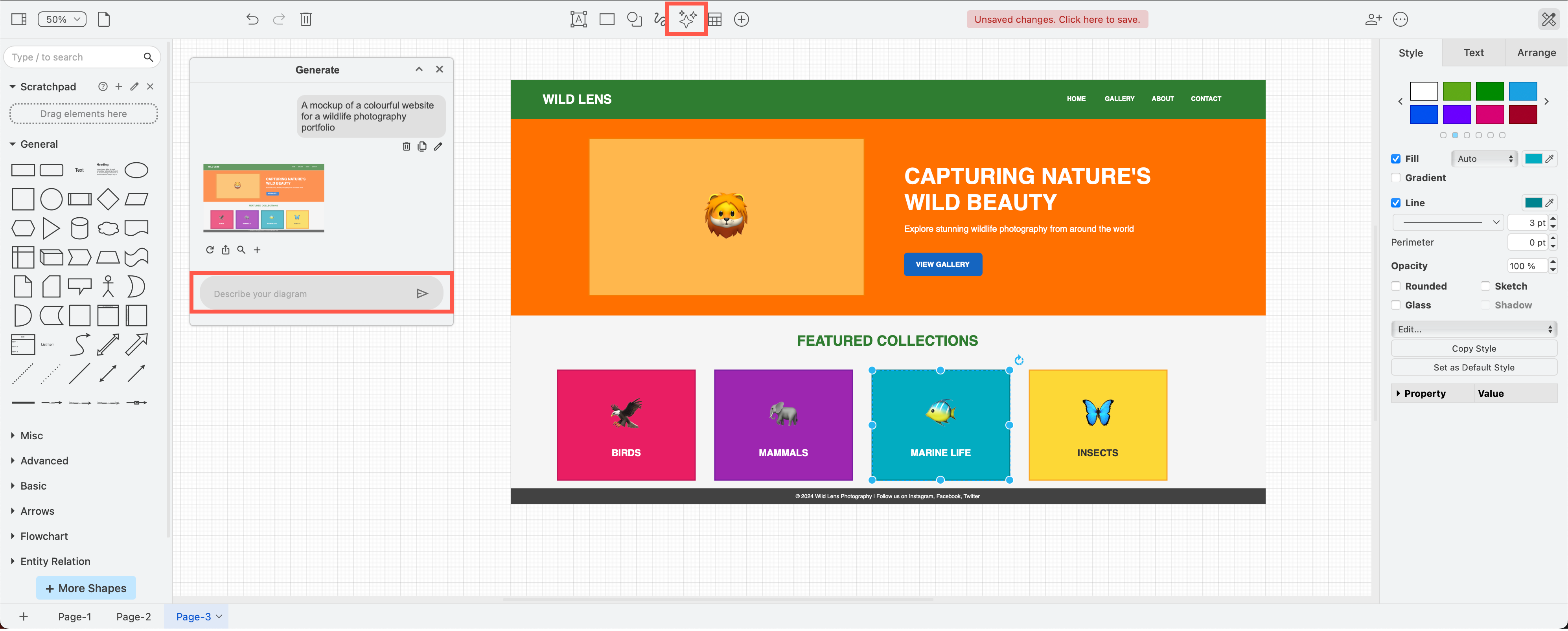
draw.io can generate various diagram types from text prompts, including UI mockups.
One of the most useful additions to the Claude Code skill ecosystem: the official draw.io skill lets you describe a diagram in plain text and get back a fully editable file in PDF, PNG, or SVG format.
How it works
You describe the diagram you need in natural language. Claude Code generates native .drawio XML, then optionally exports it to your preferred format using the draw.io desktop CLI.
The key detail: every exported file embeds the full draw.io XML inside it. That means a PNG or PDF you generate today can be reopened in draw.io months later and edited as if it were the original source file. No separate XML backup needed.
Setup
No MCP server configuration required. Copy the skill file from the official repository into your Claude Code skills directory and you are ready to go.
By default, the skill writes a .drawio file and opens it directly. If you mention a specific format in your request (PDF, PNG, SVG), it exports using the draw.io desktop CLI with the --embed-diagram flag to preserve editability.
What you can generate
- Architecture diagrams from infrastructure-as-code descriptions
- Flowcharts and sequence diagrams from process descriptions
- Org charts from CSV or structured data
- Network topology diagrams from plain-text specs
- Any diagram type that draw.io supports
Why this matters for workflows
Diagrams are often the missing artifact in AI-assisted development. You can have Claude Code research a codebase, plan a refactor, implement it, and now also produce the architecture diagrams that go with it — all in the same session.
Combined with a structured workflow like the 6-phase approach, diagrams become a natural output of the planning phase rather than a separate documentation chore.
Managing skills with Claude Grimoire
If you collect multiple skills like this one, Claude Grimoire gives you a visual interface to organize them alongside your commands, agents, and pipelines. Instead of manually copying skill files and remembering which ones you have installed, you manage everything from one place.